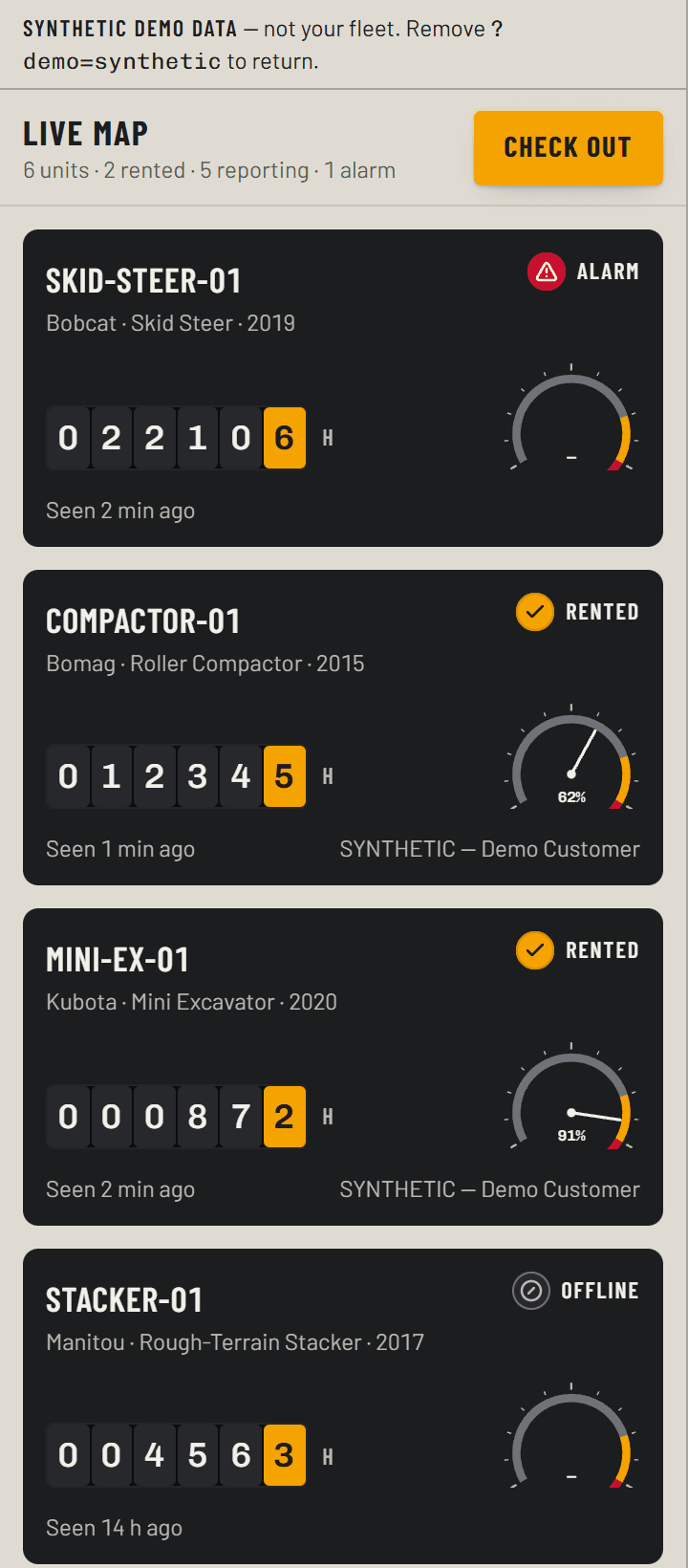
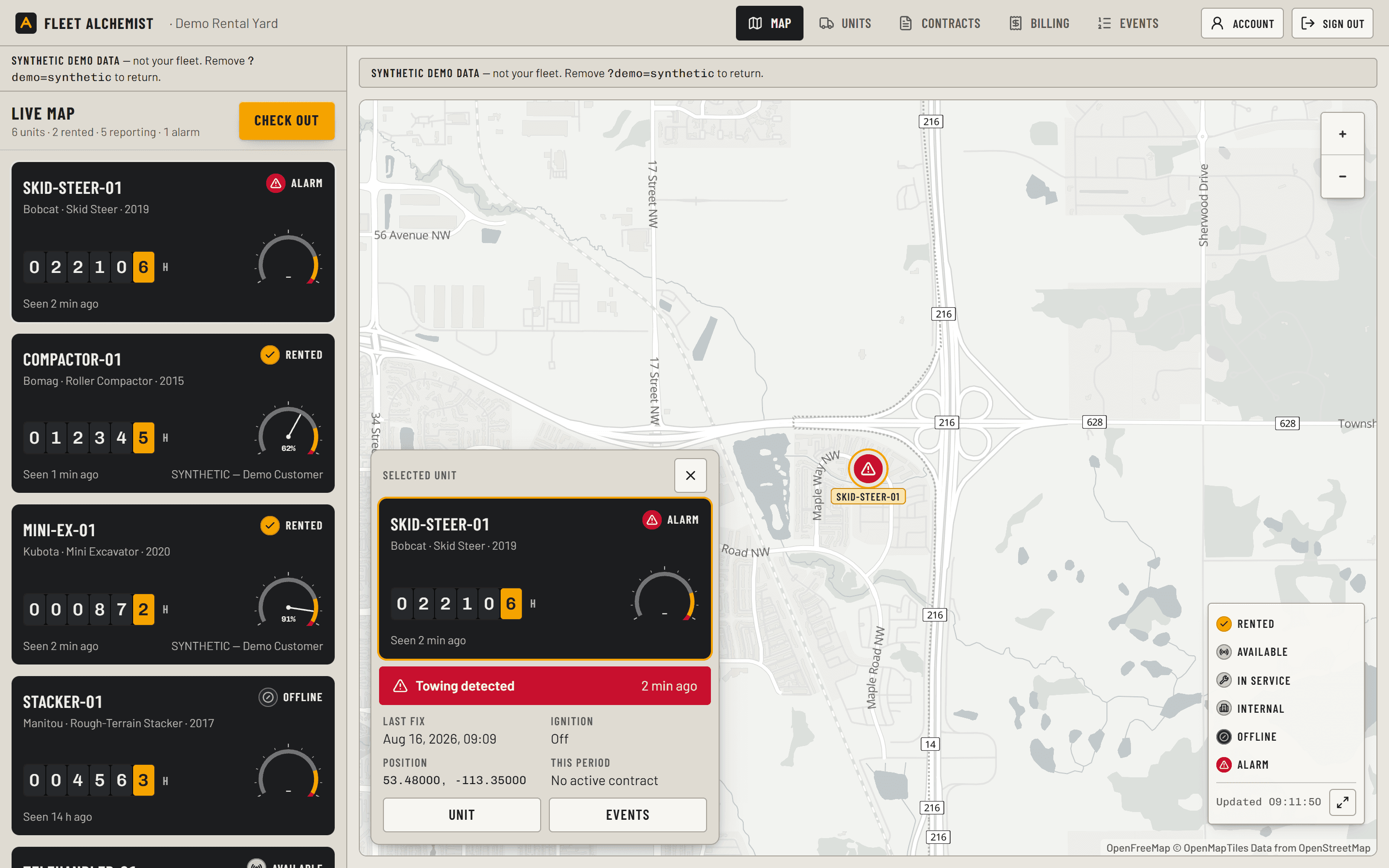
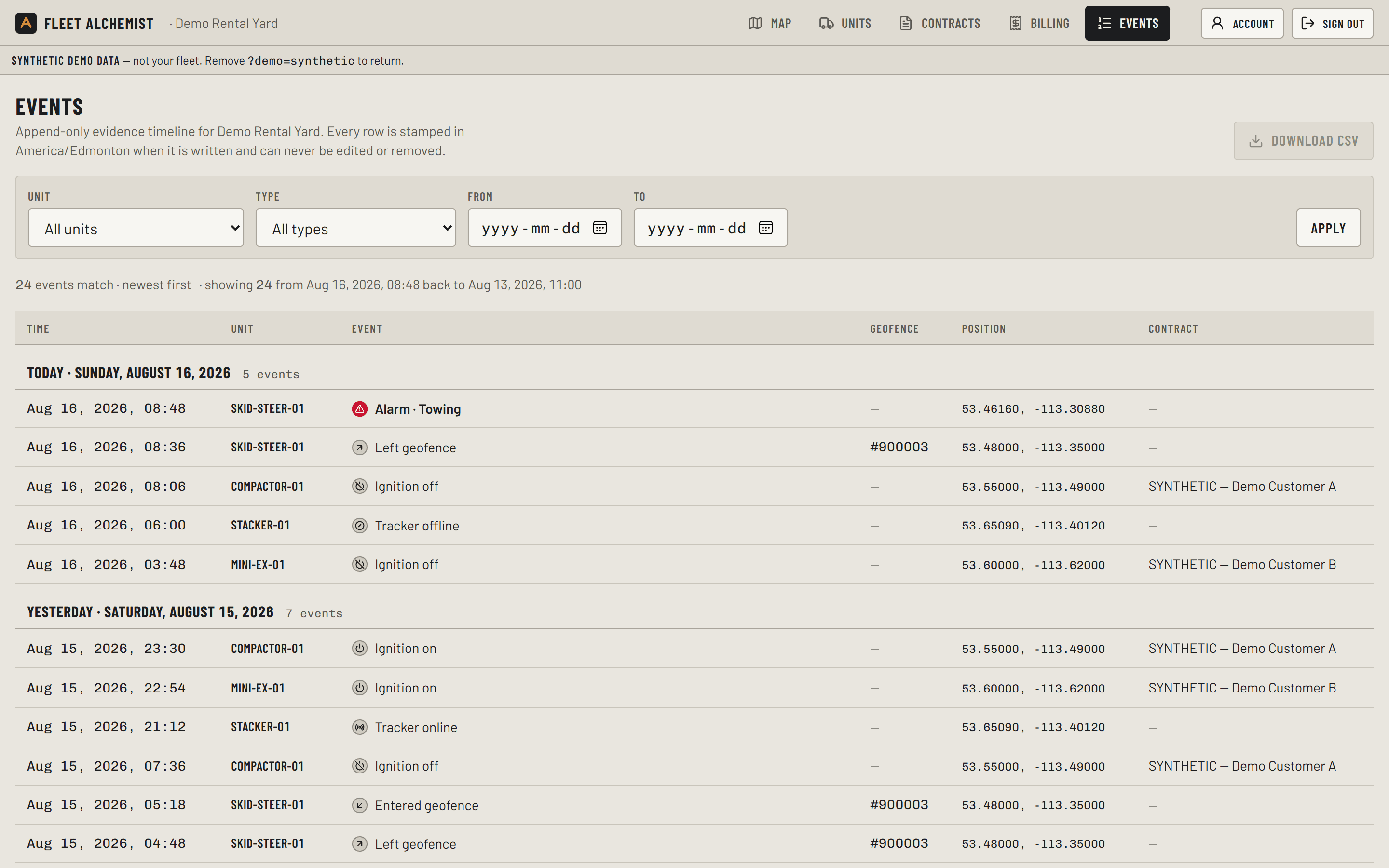
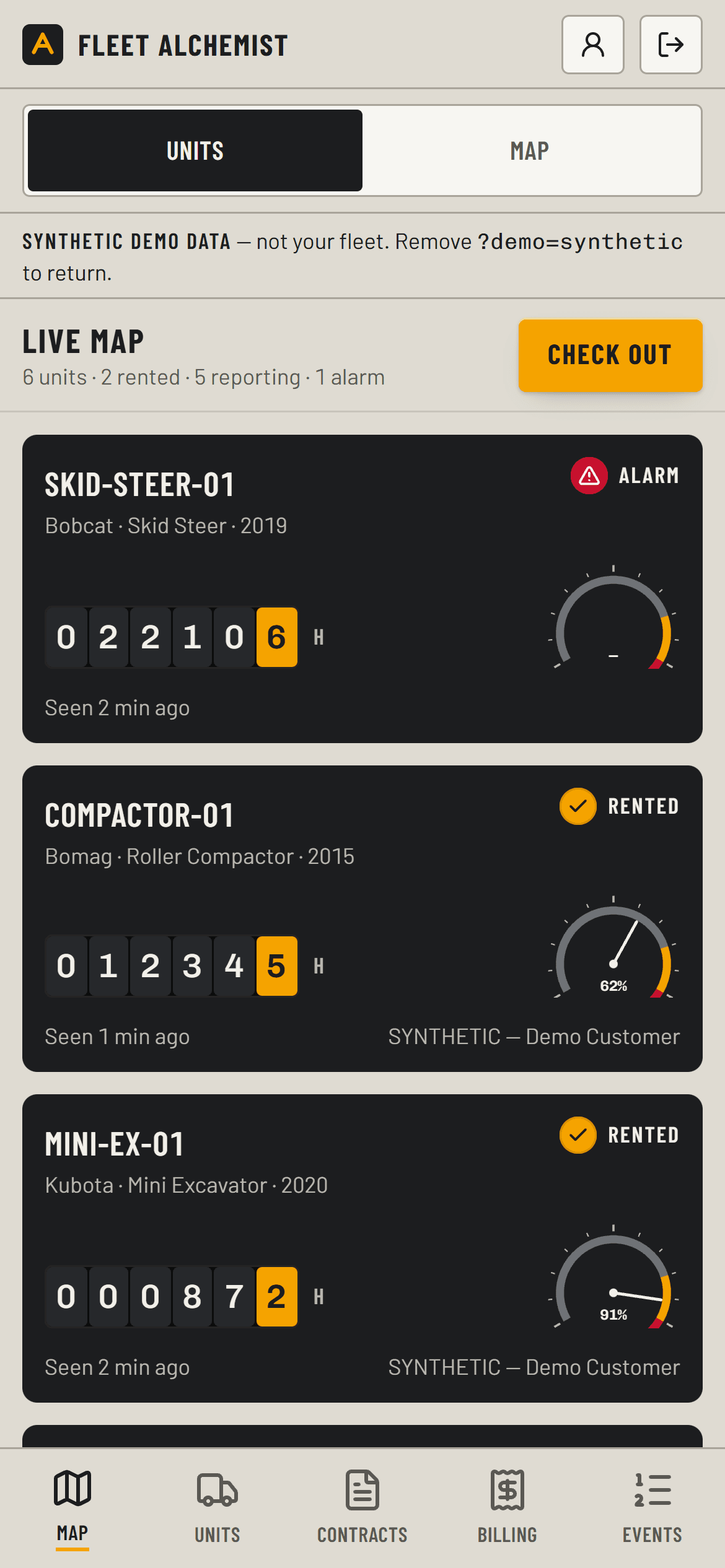
Illustrative — not a live fleet. Machine names, hours and states are examples.
A storefront your customers can actually book on
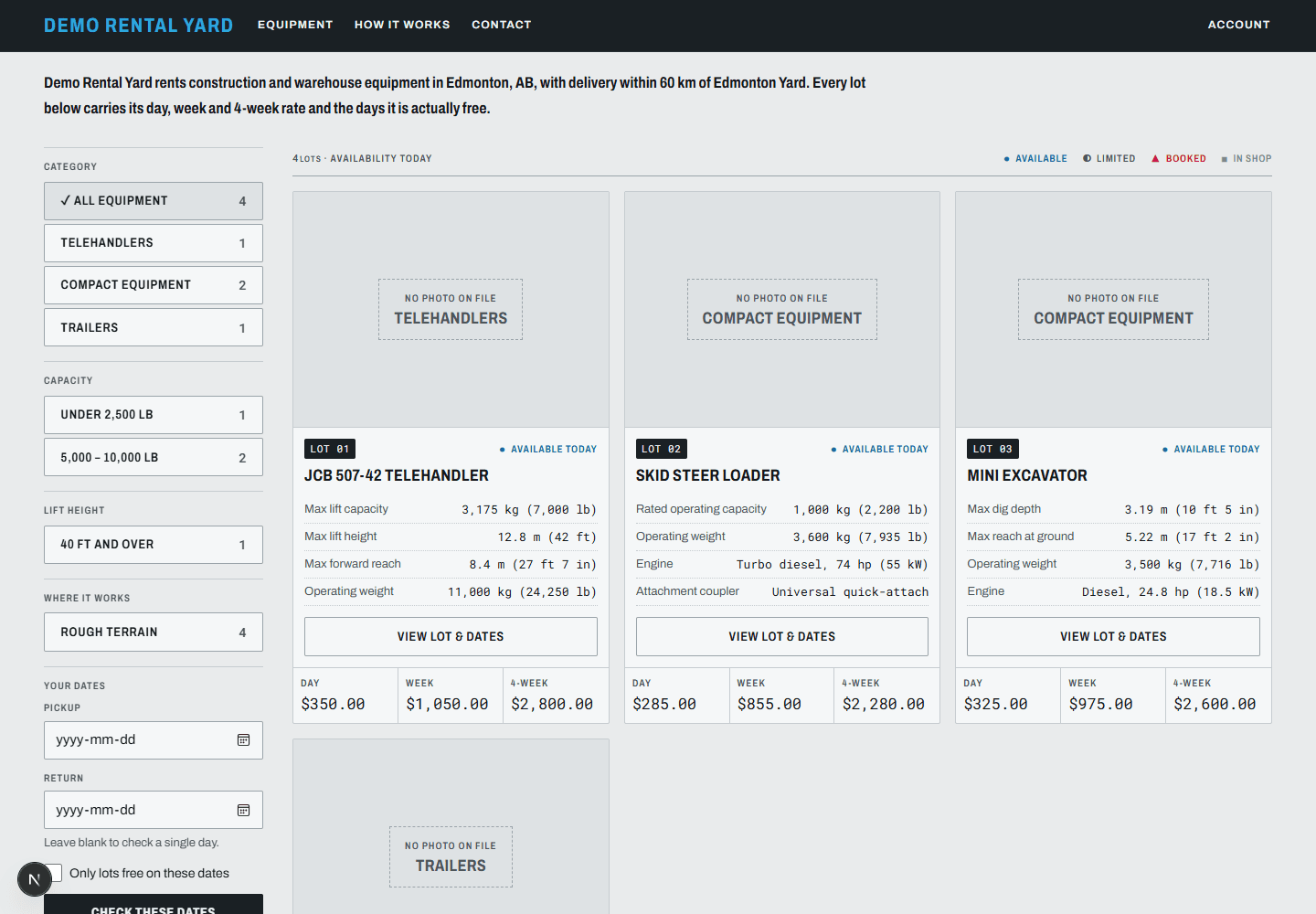
A contractor at six in the morning picks the machine, sees which days are genuinely free, and books it. No phone call, no callback, no “request a quote”.
Where a rate sits behind a quote form, the customer waits for the branch to open before anything can happen. Yours does not have to work that way: the price and the calendar are on the page.
Availability is enforced in the database, not in a spreadsheet: rental orders, maintenance windows and checkout holds all live in one reservation table, so two customers physically cannot take the same machine on the same day.
One storefront, resolved from the domain it is served on — a second yard is a second catalogue, not a second build.
Browse
Your machines, your photos, your specs — on your own domain, under your own name.
See the rate
Day, week and 4-week, published. No form in front of the price.
See real dates
A live calendar per machine, backed by the same reservations the yard books against.
Reserve
Dates held the moment they book — orders, service windows and cart holds share one table.
Sign
The rental agreement e-signed at booking, tracking disclosure included.
Send documents
Certificate of insurance and operator licence uploaded with the booking.
Ask for delivery
A jobsite address, priced from distance, instead of a phone call about a truck.
The storefront wears your brand, not ours. Your domain, your name on the agreement.
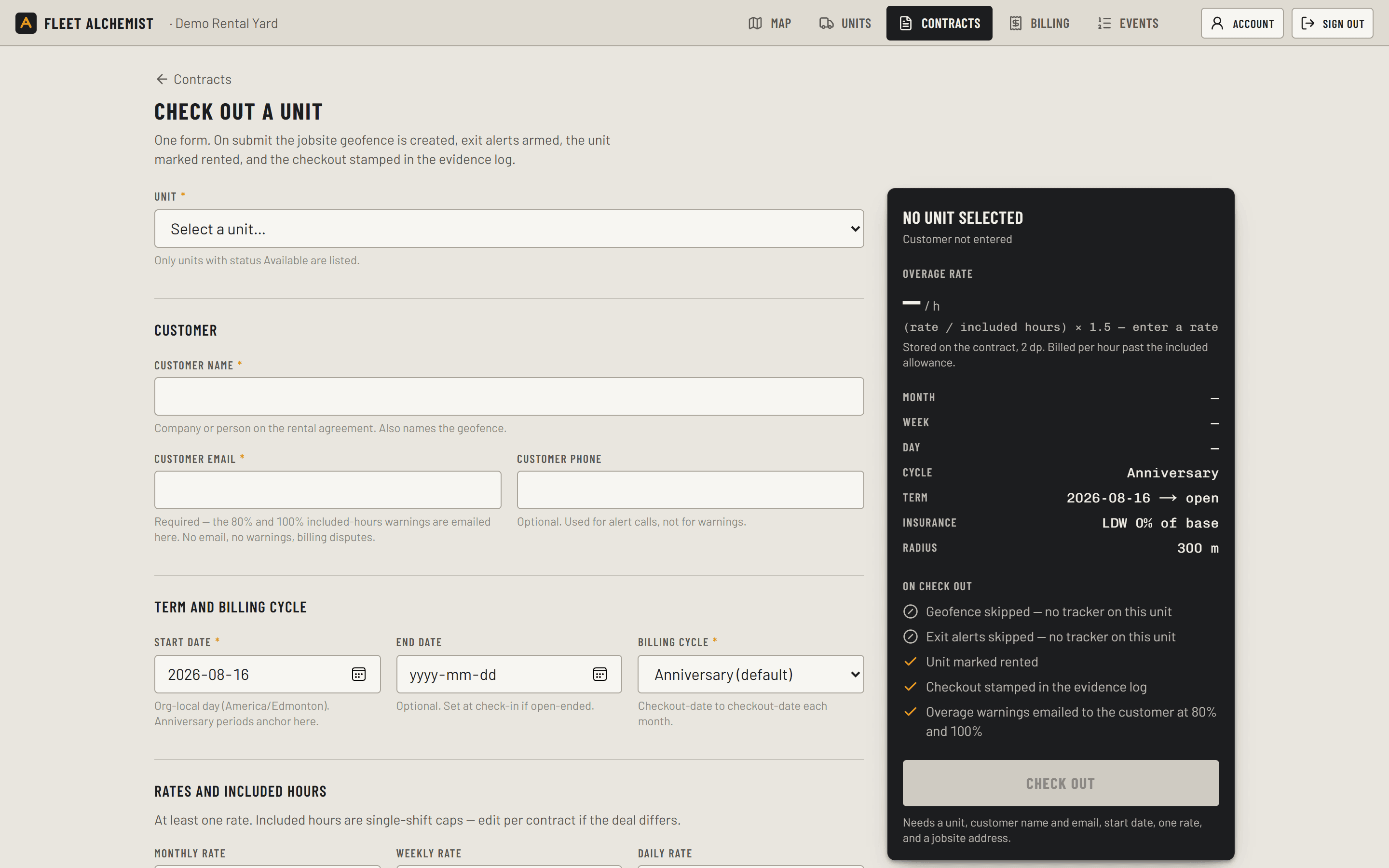
One form takes it from booking to released
The order arrives with the customer, the dates and the jobsite already on it. Your counter staff open the same form they would otherwise write out by hand — unit, dates, rates, included hours — and submit it once.
On submit: the jobsite geofence is drawn, exit and after-hours alerts are armed, the machine is marked rented, the agreement is e-signed, and the checkout is stamped into the evidence log.
The certificate of insurance and the operator licence come in with the booking and are reviewed before the machine leaves the yard. The overage rate is computed in front of you — (rate ÷ included hours) × 1.5 — and stored on the contract, so it cannot drift later.
Check-in is one plate: read the meter, note fuel and damage, done.
Orders, approvals and the fleet calendar in one board
New bookings waiting on approval, machines out today, machines due back, what is committed next week — one board instead of a whiteboard, a spreadsheet and a phone.
Approve an order and the dates are held for real. Block a machine for service and the storefront stops offering it the same second: the calendar and the booking engine read the same reservations, so a rented machine cannot be double-committed to a repair.
Contracts, check-ins and the day's movements sit under the same login your counter staff already use.
Overage billed from what the machine ran
Every contract carries its own included hours. Single-shift caps by default — 8 a day, 40 a week, 176 a month — changed per deal at checkout.
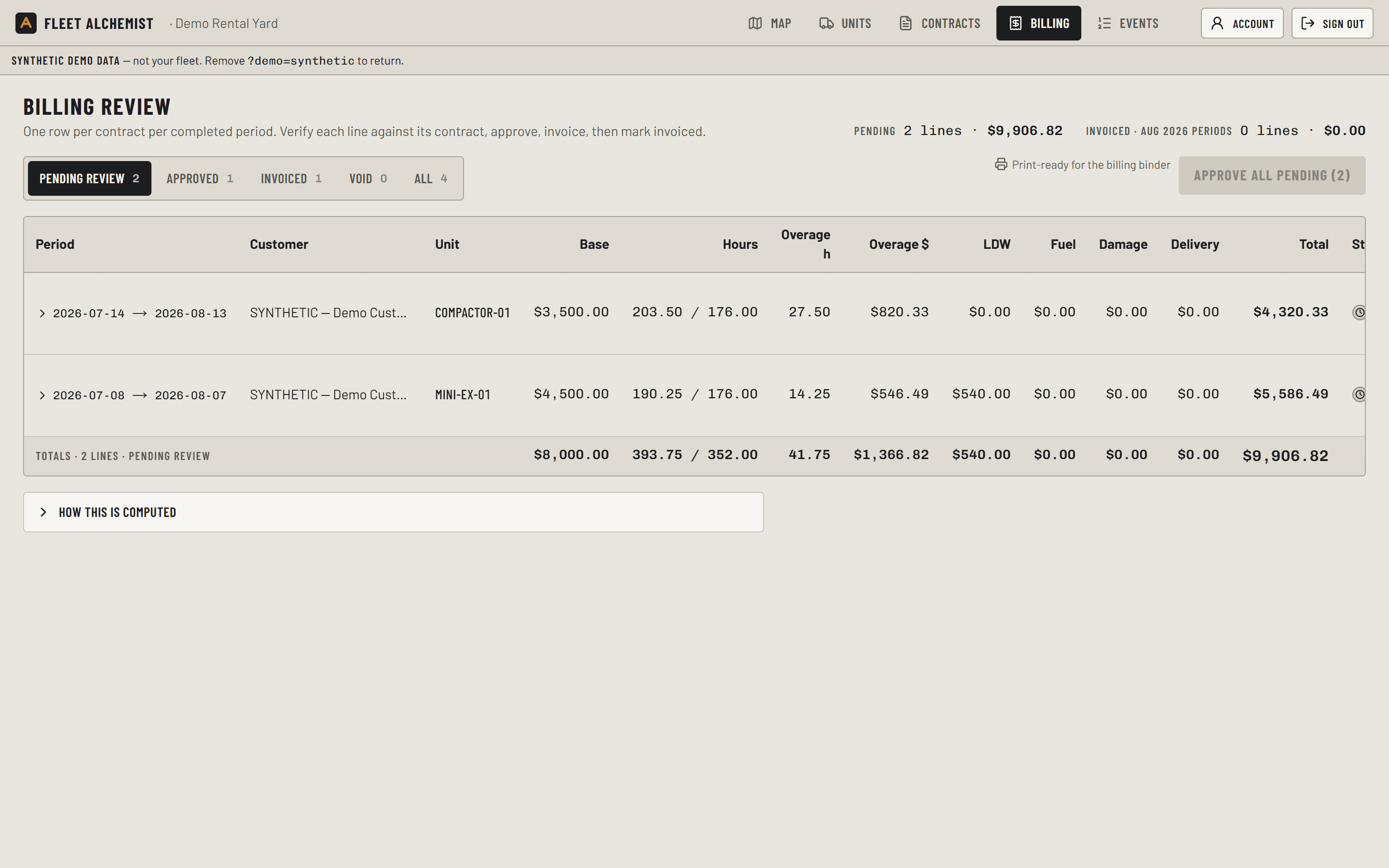
Overage is computed nightly from the meter rather than estimated at the counter, and the customer is emailed at 80% and again at 100% of their included hours. The invoice is never the first time they hear about it.
At the end of each period one line lands in Billing review. Check it against the contract and the check-in sheet, add fuel or damage, approve, then invoice. Nothing goes out without your approval.
The part rental software cannot do
Booking software runs the paperwork. It never touches the machine. So it bills the hours somebody reported, it finds out about a theft when the machine fails to come back, and when a customer disputes the damage there is nothing to show but two recollections.
Fleet Alchemist puts a tracker in the machine and wires the rest of the system to it. That is the part a rental-software vendor cannot add later — it is hardware in your yard, not a feature in a release.
Measured hours
Billing reads the engine, not a hand-written meter reading on a check-in sheet.
Theft in progress
Towing, after-hours movement and tamper raise the alarm while the machine is still moving.
Evidence, not memory
Every event stamped when it happens, append-only, exportable for a dispute or a claim.
Bookings that know
Service windows come off the storefront calendar automatically — the machine cannot be booked into them.
Hours the engine actually ran
The tracker is wired to ignition and, where the machine allows it, to the oil-pressure switch. What you bill are hours the engine actually ran — not hours the key was on, not what the renter wrote on the sheet, not what the counter estimated on a Friday.
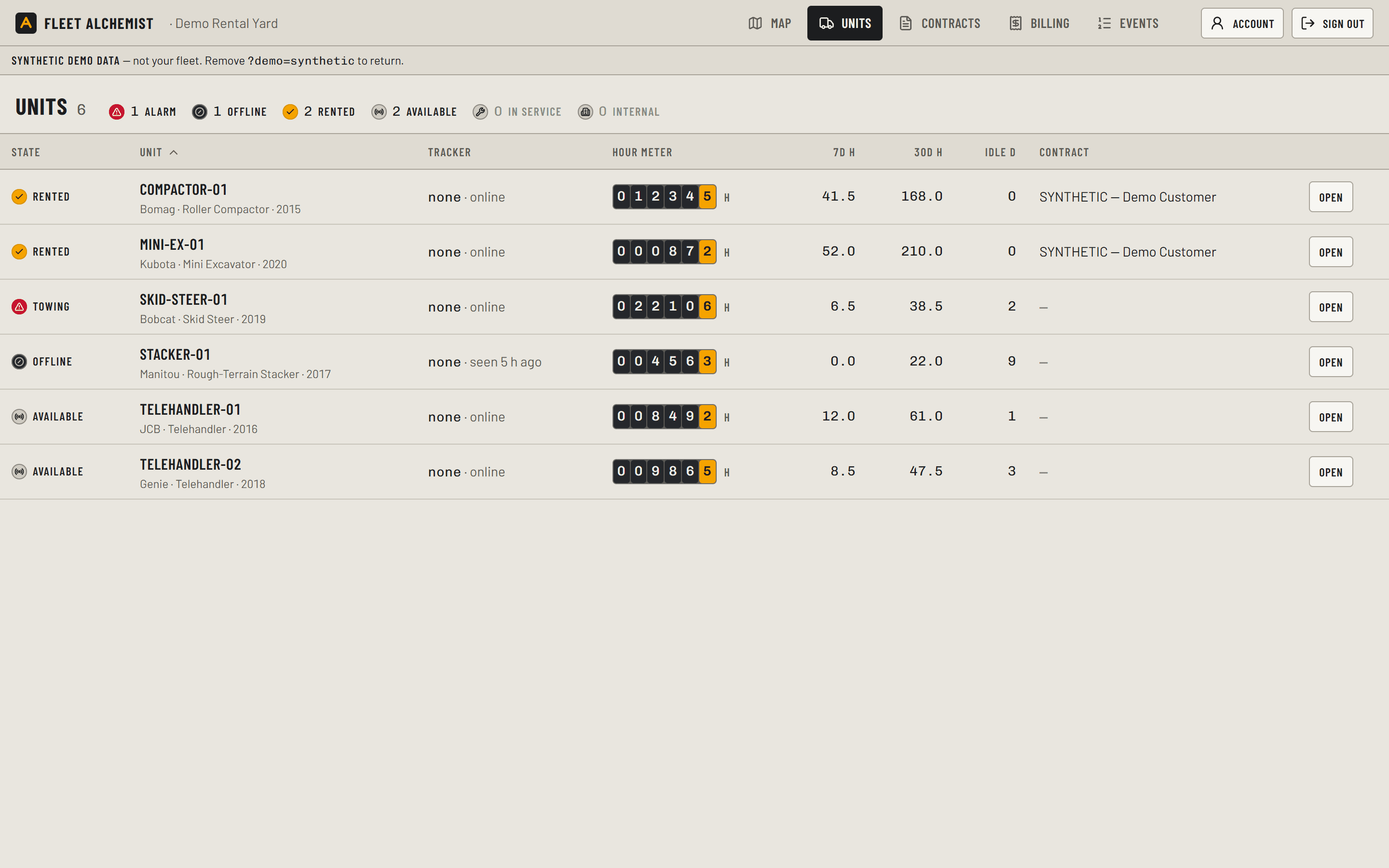
Every unit carries the same hour meter you read at check-in, plus 7-day and 30-day hours and idle days. Hours roll up nightly, feed the overage line, and stay in the record.
A machine with no tracker shows dashes, never a guess.
A machine that moves at 2am is an alarm, not a Monday surprise
Towing, after-hours movement, tamper, power cut, tracker offline. Each one raises the alarm the moment it happens, and the alert goes by text and email to whoever you name.
A stolen machine is a red lamp and a moving dot — with the last fix, ignition state and coordinates on the phone in your hand, which is what the police ask for first.
Every rental gets a jobsite geofence when it is checked out, so a machine leaving the site it was rented for is an event rather than a discovery.
Free map tiles, no Google account. Works on the counter screen and the yard phone.
Every event stamped, none erased
When a customer says the machine sat idle all week, or that the damage was there when they picked it up, the argument is settled by the record rather than by whoever remembers harder.
Alarms, geofence entry and exit, ignition on and off, checkout and check-in all land in one timeline, stamped when they happen. Append-only: nothing in it is edited and nothing is quietly deleted.
Download it as CSV and hand it over as-is — to the customer, the insurer or the police.
How it works
1
Step 1: Load the fleet
Machines, photos, rates, included hours, delivery radius. Your storefront goes live on your own domain.
2
Step 2: Take bookings
A contractor books real dates. The order lands on your board with the agreement signed, the licence and the insurance certificate attached.
3
Step 3: Release the machine
One form: geofence drawn, alerts armed, contract stamped into the evidence log.
4
Step 4: Bill what it ran
Nightly hours, one review line per period, your approval, then the invoice.
The hardware kit
One tracker per machine, built for equipment rather than cars: wide-range power, a backup battery so a cut harness raises an alarm instead of silence, and inputs for the two wires that matter — ignition and oil pressure.
Ships pre-configured to report to our Canadian server. Your tech mounts it, lands the wires, and the machine appears on the map. Install guide included.
The storefront, bookings, contracts and billing run without any hardware at all — you can take your first online booking before a single tracker arrives. The kit is what turns hours, theft alerts and the evidence trail from reported into measured.
Quoted separately, one time per kit. See pricing below.
Tracker
Teltonika FMC650, North American LTE bands
Network
LTE, dual SIM
Machine bus
J1939-ready for machines that have one
Inputs
Ignition and oil-pressure switch
Power
Machine battery with internal backup battery
Antennas
External GNSS and LTE
In the box
Tracker, fused harness, antennas, install guide
Pricing
One flat price per location, per month, in CAD. The tracker kit is quoted separately.
Rate card
No commission on your bookings — you keep 100% of your rental revenue.
Yard
Up to 10 machines
$199per location / month
$1,990per location / year — saves $398
One location. The whole system — storefront, bookings, contracts, billing.
Fleet
11 to 30 machines
$399per location / month
$3,990per location / year — saves $798
One location, a fleet big enough that the whiteboard has stopped working.
Multi-yard
30+ machines or several locations
Customcontact us
More than one yard, or a fleet past thirty. Tell us the shape of it and we quote.
In every plan
Included: Your own booking storefront, on your own domain
Included: Live availability and real dates — no double-booking
Included: Rate cards: day, week and 4-week
Included: Rental orders, approvals and the fleet calendar
Included: One-form checkout and check-in
Included: Contracts and e-signed rental agreements
Included: Insurance certificate and licence collection
Included: Included hours, overage rates and nightly billing lines
Included: Customer warnings at 80% and 100% of included hours
Included: Unlimited staff logins
Telematics-verified engine hours, theft and tow alerts, geofences and the evidence trail need a tracker in the machine. The software side is in every plan; the kit is quoted separately, one per machine you want metered.
Tracker kit
Quoted separately, one time per machine — pre-configured Teltonika FMC650, fused harness, antennas, install guide.
Billing
Prices in CAD per location. Pay monthly, or pay for the year and get two months free. Founder pricing for the first three Alberta yards.
We run an equipment rental yard in Edmonton. We rent telehandlers, skid steers and compactors, and we were running it the way most independent yards do: a whiteboard, a spreadsheet and a phone that has to be answered before anyone can rent anything.
So we built the system we wanted, and our yard is going live on it now — the storefront takes the booking, the board runs the day, the billing lines come out of it. What is on this page is the software itself, not a mock-up of one.
If it does not hold up in our yard, it does not ship.
First yard
An equipment rental yard in Edmonton
Status
Platform built and deployed. Our yard is going live on it; trackers are on order.
Hosting
Canada — Toronto server, Canadian database region
Book a demo call
Thirty minutes on a call. You tell us how your yard takes bookings today — the whiteboard, the spreadsheet, the phone. We show you the storefront, the board and the billing running in the live app.
Founder pricing for the first three Alberta yards.